1. INTRODUCTION (Tổng quan nhiệm vụ & Component ID)

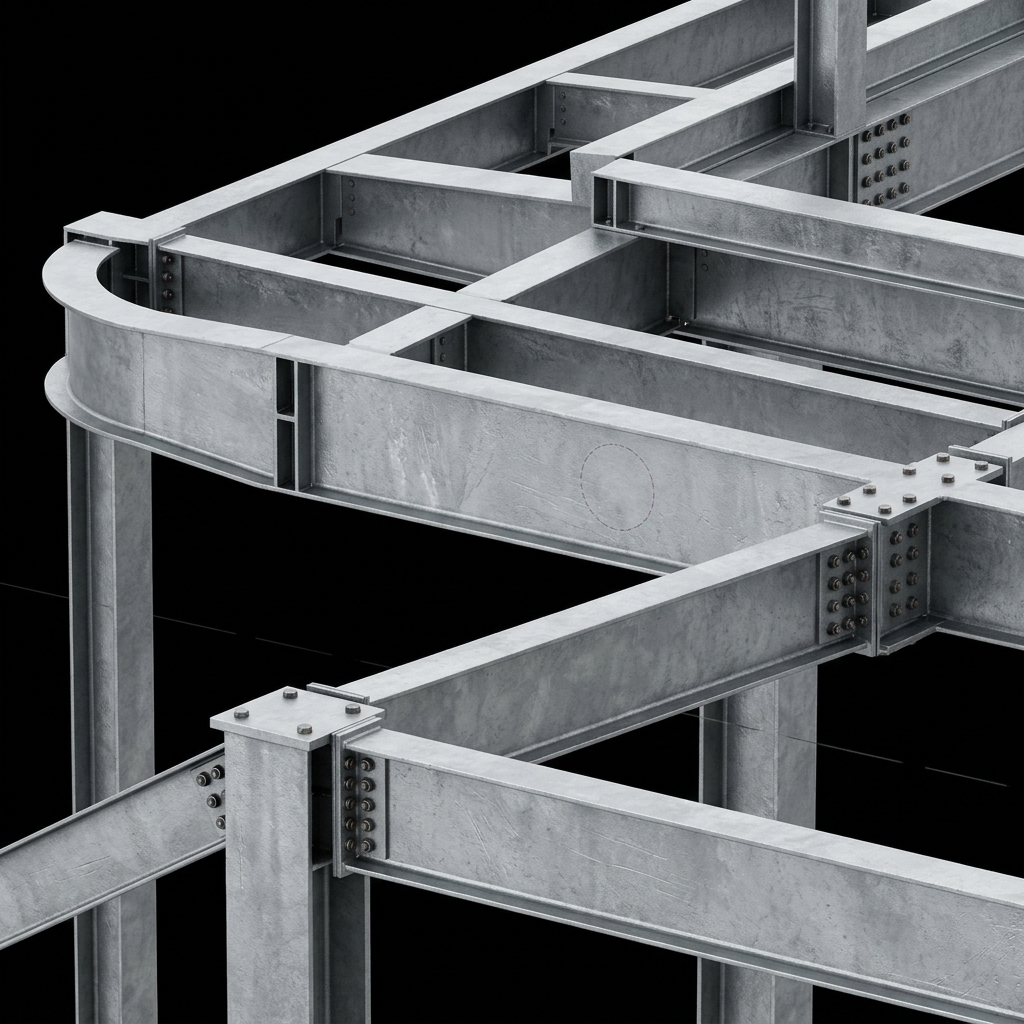
Trong kết cấu nhà thép tiền chế (PEB), nút nách kèo (Knee Joint) là vị trí chịu mô-men uốn khổng lồ nhất, nơi giao thoa giữa lực nén của cột và lực uốn của dầm vì kèo. Việc thiết kế nút này đòi hỏi các bản bích dày (end plate) và hệ thống sườn gia cường (stiffener) phức tạp để chống oằn cục bộ.

Nhóm công cụ sau đây sẽ giúp bạn giải quyết triệt để bài toán này từ mức độ vi mô (nút) đến vĩ mô (khung):

  • PEB Knee joint (S93): Macro chuyên dụng để tạo mặt bích nối dầm vào cột, hỗ trợ mặt bích nằm ngang, thẳng đứng hoặc vuông góc với dầm, kèm theo tùy chọn tạo sườn chéo (diagonal stiffener).
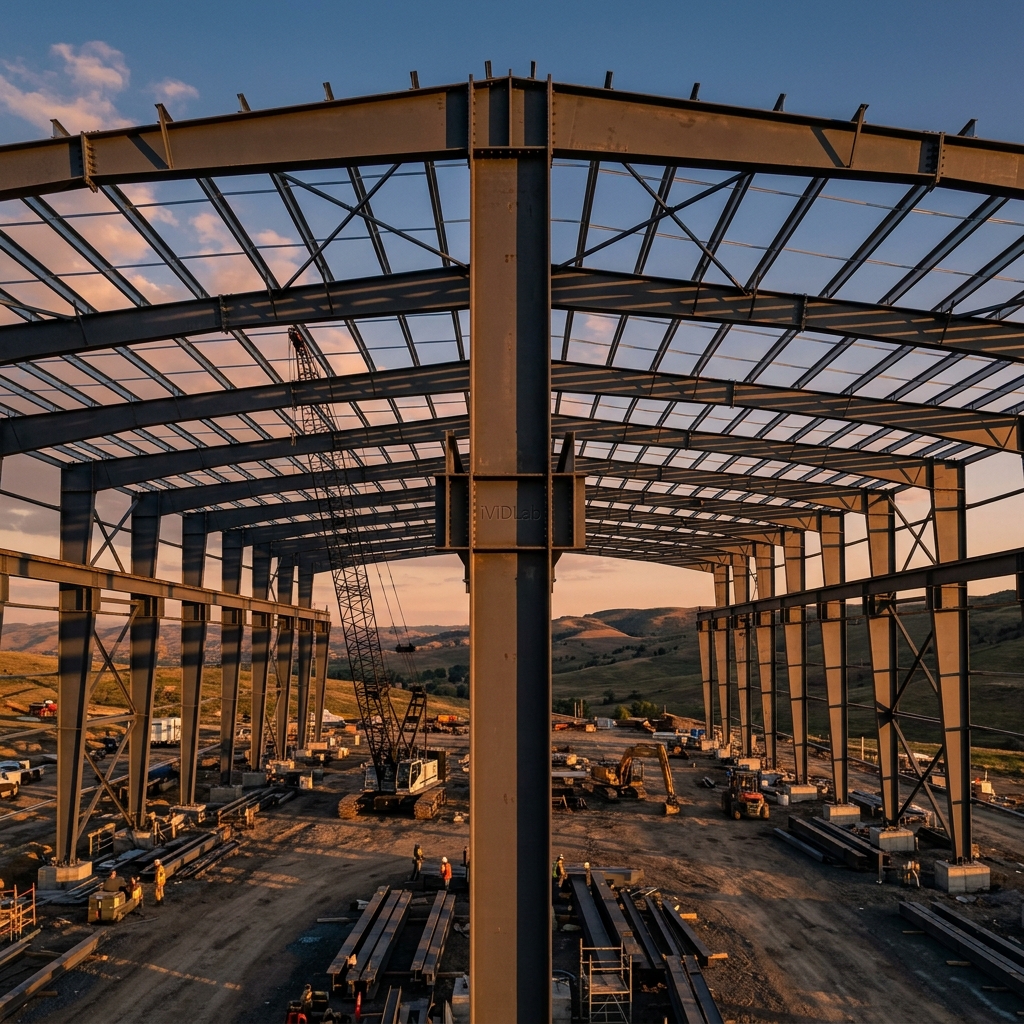
  • Tapered frame (S53) & PEB Frame (S92): Các "Siêu Macro" tự động sinh ra một khung nhà xưởng hoàn chỉnh. Chúng gọi lồng (nest) các macro khác như S45 (dầm vát) và S93 (nách kèo) để mô hình hóa toàn bộ khung Zamil chỉ trong 1 thao tác click chuột.

2. USE CASES TABLE (Các trường hợp thực tế)

Component ID Chức năng (Function) Ứng dụng thực tế
S93 Tạo liên kết nách kèo (Knee connection). Dùng trong giai đoạn Detailing chi tiết (LOD 350-400), khi bạn cần kiểm soát chính xác vị trí bu lông, chiều dày sườn gia cường chéo (diagonal stiffener) tại từng nút riêng lẻ.
S53 / S92 Sinh khung tự động toàn tập (Automated Frame Generation). Dùng trong giai đoạn thiết kế cơ sở (Concept/Basic Design, LOD 200). Cho phép dựng hàng loạt khung Zamil, thay đổi nhịp, cao độ, độ vát rất nhanh chóng để lấy khối lượng sơ bộ.

3. SELECTION ORDER (Quy trình thao tác)

Thao tác với S93 (PEB Knee Joint):

  1. Pick Main part (Cột).
  2. Pick Secondary part (Dầm vì kèo).
  3. Click chuột giữa (Middle mouse) để hoàn tất.

Thao tác với S92 (PEB Frame):

  1. Chỉ cần pick 1 điểm gốc tọa độ (Insertion point). Khung sẽ tự động mọc lên dựa trên các thông số khoảng cách nhịp đã nhập.

4. DEEP DIVE SETTINGS (Chi tiết thông số)

Giải phẫu PEB Knee joint (S93)

Tại tab Picture, bạn quyết định dạng hình học của liên kết:

  • Connection type: Horizontal (Bản bích nằm ngang), Vertical (Bản bích đứng) hoặc Perpendicular (Bản bích vuông góc với phương dầm).
  • Diagonal stiffener / Web plate: Có sinh sườn chéo nối từ cánh trong dầm vát xuống cánh trong cột vát hay không. Sườn này rất quan trọng để chịu lực nén tập trung.

Giải phẫu PEB Frame (S92)

Tại tab Parameters, bản chất S92 là một bảng điều khiển trung tâm để gọi các macro khác (nested components). Bạn sẽ chọn Column 1 là cấu kiện S94, Rafter 1 là S45, Column 1 knee joint là S93. Sự kết hợp này mang lại tốc độ dựng hình khủng khiếp.

5. DETAIL ERRECTION TIPS (Mẹo quản lý mô hình)

CẢNH BÁO QUẢN LÝ BẢN VẼ (Detailing Warning for S92/S53): Sử dụng "Siêu macro" S92 rất "sướng" lúc dựng hình ban đầu. Tuy nhiên, khi bạn chuyển sang giai đoạn xuất bản vẽ chế tạo (Detailing phase), các cấu kiện bị "lồng nhau" (nested components) sẽ khiến hệ thống Numbering (đánh số) của Tekla trở nên vô cùng rối rắm và khó kiểm soát.

Lời khuyên chuyên gia: Sau khi dùng S92 để tạo xong hệ khung cơ bản, hãy chọn khung đó, chuột phải và nhấn Explode Component (phá vỡ liên kết cha). Khi đó, hệ thống sẽ trả về các nút S93, S45 độc lập. Việc quản lý sửa đổi và xuất bản vẽ Assembly (tổ hợp) lúc này sẽ trở nên chính xác tuyệt đối!

6. Căn cứ Thiết kế & Tiêu chuẩn (Design Standards Reference)

  • AISC Design Guide 16 (Flush and Extended Multiple-Row Moment End-Plate Connections): Tài liệu chuẩn mực để tính toán chiều dày bản bích (End plate) nách kèo, phân bố lực kéo trên các hàng bu lông và kiểm tra khả năng chịu cắt/chịu ép mặt của bụng cột.
  • MBMA (Metal Building Systems Manual): Cung cấp các tiêu chuẩn về độ vồng (Camber) cho dầm khung PEB và yêu cầu chế tạo đối với hệ thống sườn gia cường tại nút nách.

1. INTRODUCTION (Task Overview & Component ID)

In Pre-Engineered Building (PEB) structures, the Knee Joint is the region subjected to the most massive bending moments, where the compressive forces of the column intersect with the bending forces of the rafter. Designing this node requires thick extended end plates and intricate stiffener systems to prevent local buckling.

The following tools completely resolve this challenge from the micro (node) to the macro (frame) level:

  • PEB Knee joint (S93): A specialized macro for connecting rafters to columns, supporting horizontal, vertical, or perpendicular end plates, along with options to generate diagonal stiffeners.
  • Tapered frame (S53) & PEB Frame (S92): "Super Macros" that automatically generate a complete factory frame. They nest other macros such as S45 (tapered beam) and S93 (knee joint) to model an entire PEB portal frame with a single click.

2. USE CASES TABLE

Component ID Function Practical Application
S93 Creates the knee connection. Used during the rigorous Detailing phase (LOD 350-400), when you need precise control over bolt locations, plate thicknesses, and diagonal stiffeners at individual nodes.
S53 / S92 Automated Frame Generation. Used in the Concept/Basic Design phase (LOD 200). Allows for rapid deployment of multiple portal frames, modifying spans, heights, and tapers instantly for preliminary material take-offs.

3. SELECTION ORDER

Operating S93 (PEB Knee Joint):

  1. Pick the Main part (Column).
  2. Pick the Secondary part (Rafter).
  3. Click the middle mouse button to finish.

Operating S92 (PEB Frame):

  1. Simply pick a single insertion point in the model. The entire frame is generated automatically based on the inputted span parameters.

4. DEEP DIVE SETTINGS

Anatomy of PEB Knee joint (S93)

On the Picture tab, you govern the connection's geometric topology:

  • Connection type: Horizontal, Vertical, or Perpendicular (relative to the rafter).
  • Diagonal stiffener / Web plate: Determines whether a diagonal stiffener is generated spanning the inner corner. This plate is critical for resisting concentrated compressive stresses.

Anatomy of PEB Frame (S92)

On the Parameters tab, S92 acts as a central command dashboard for nested components. You assign Column 1 to use macro S94, Rafter 1 to use S45, and Column 1 knee joint to use S93. This orchestration results in tremendous modeling speed.

5. DETAIL ERRECTION TIPS (Model Management)

DETAILING WARNING (For S92/S53): Utilizing the S92 "Super Macro" feels incredible during initial conceptual modeling. However, when you transition to the fabrication detailing phase, these nested components will cause Tekla's Numbering system to become extremely convoluted and difficult to control.

Pro Tip: Once you have generated the foundational frame using S92, select the frame, right-click, and select Explode Component (breaking the parent link). This returns the S93 and S45 nodes to their independent macro states. Managing revisions and generating precise Assembly drawings will then become absolutely bulletproof!

6. Design Standards Reference

  • AISC Design Guide 16 (Flush and Extended Multiple-Row Moment End-Plate Connections): The benchmark reference for calculating knee joint end-plate thickness, tension distribution across bolt rows, and checking column web shear/bearing capacities.
  • MBMA (Metal Building Systems Manual): Outlines standard practices for PEB frame rafter cambering and fabrication requirements for node stiffener systems.